Time tracking in Microsoft Teams – compliant and automated
Work time tracking and project hours directly in Microsoft Teams. Automatic suggestions from Outlook, Teams calls and Planner – one click instead of typing. ISO 27001, GDPR.
Thousands of users – approved by works councils
GDPR-compliant, ISO 27001 certified, Made in Germany














Everything that makes time tracking simple
2-in-1: Work time and project time
One tool for legally compliant work time tracking and precise project time tracking.
0% IT effort. 100% integration.
Ready in minutes. No IT project, no separate software.
1 click – time tracked.
Check-in, break, check-out. It doesn't get simpler than this.
GDPR-compliant & ISO 27001 certified
EU law-compliant, ISO 27001 certified and already approved in practice by multiple works councils.
Automated time suggestions
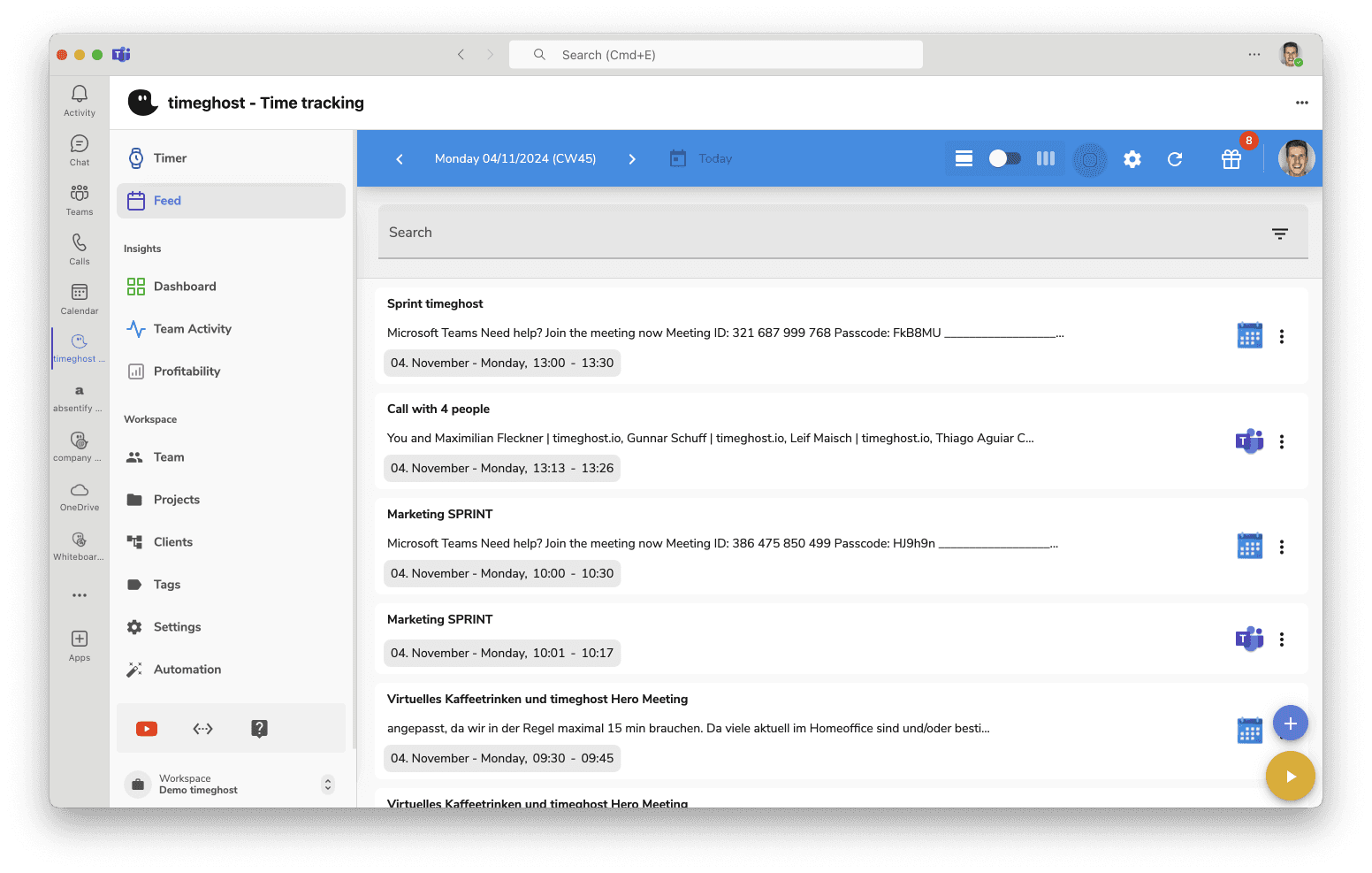
Teams suggests time entries based on your calls, appointments, and tasks. You just confirm with one click.
14 days free trial
All features included. No credit card. Get started right away.
Time tracking that feels like Teams itself
No separate tool, no extra login, no manual entry. timeghost is so deeply integrated into Microsoft Teams that time tracking becomes second nature.
Time Suggestions from Microsoft 365
Teams calls, Outlook appointments, Planner tasks – timeghost detects your activities and automatically suggests them as time entries. Confirm with one click instead of typing manually.
Automatic Group Sync
Your Teams groups are automatically synced to timeghost Time Tracking. New employees are ready to go instantly – no manual setup, no IT ticket.
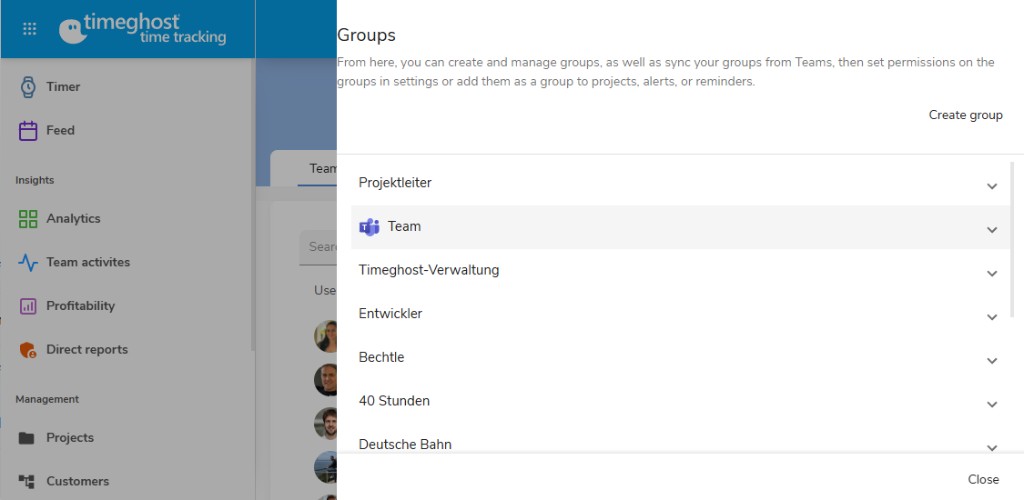
Login, Onboarding & Offboarding – automatic
If you're in Teams, you're in timeghost Time Tracking. New employees are automatically created, departing employees are automatically deactivated. Single Sign-On with Microsoft 365 – no separate password, no manual IT effort.
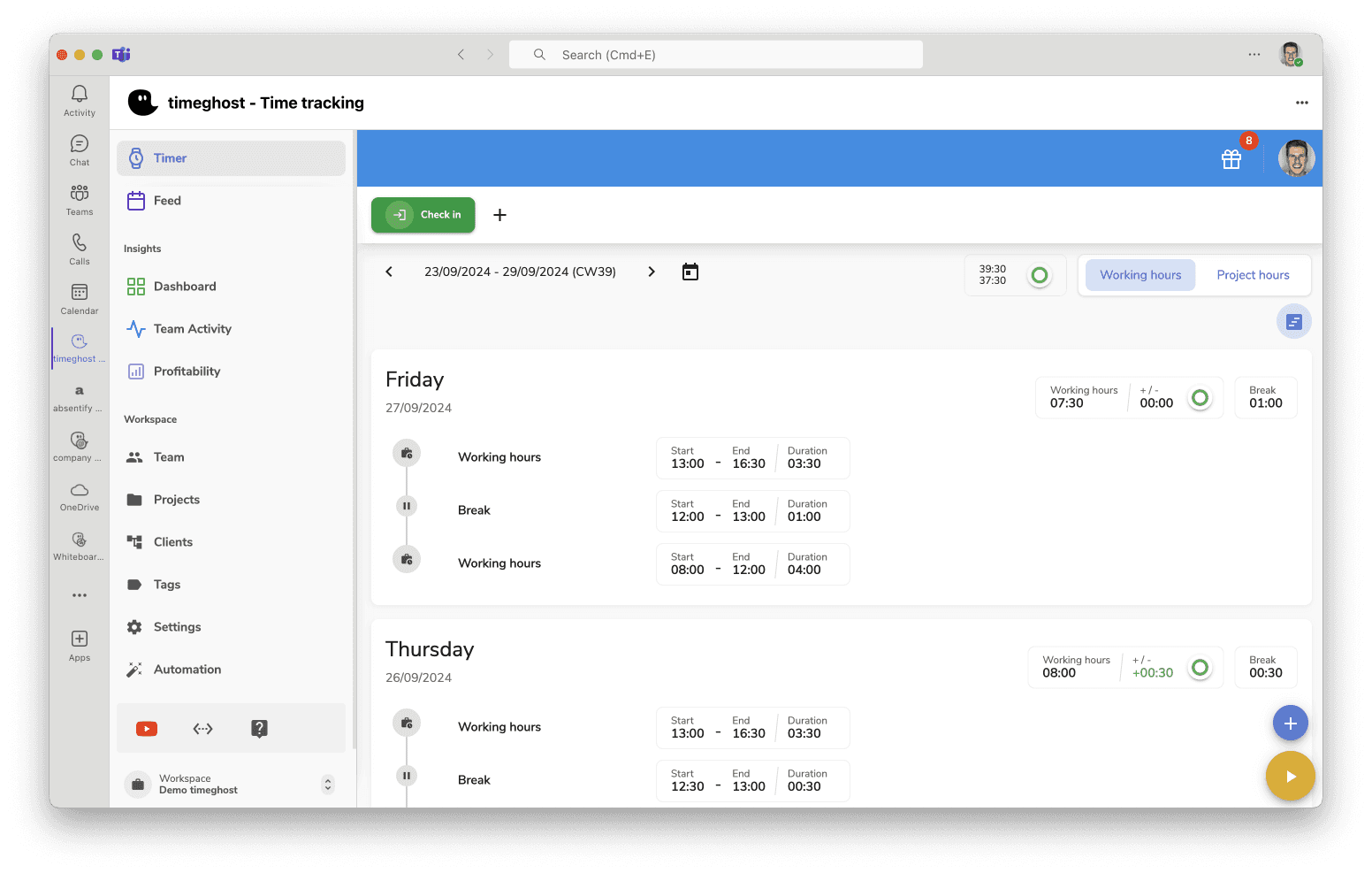
One Solution – Two Use Cases
Whether work time tracking, project time tracking, or both together – everything is included in a single subscription. No extra charges, no add-on modules.
Work Time Tracking
For teams that want to document work hours securely and efficiently.
- Check-in, break, check-out with one click
- Maximum work hours and rest periods verified automatically
- EU Court of Justice compliant and works council approved
- Teams groups automatically synced
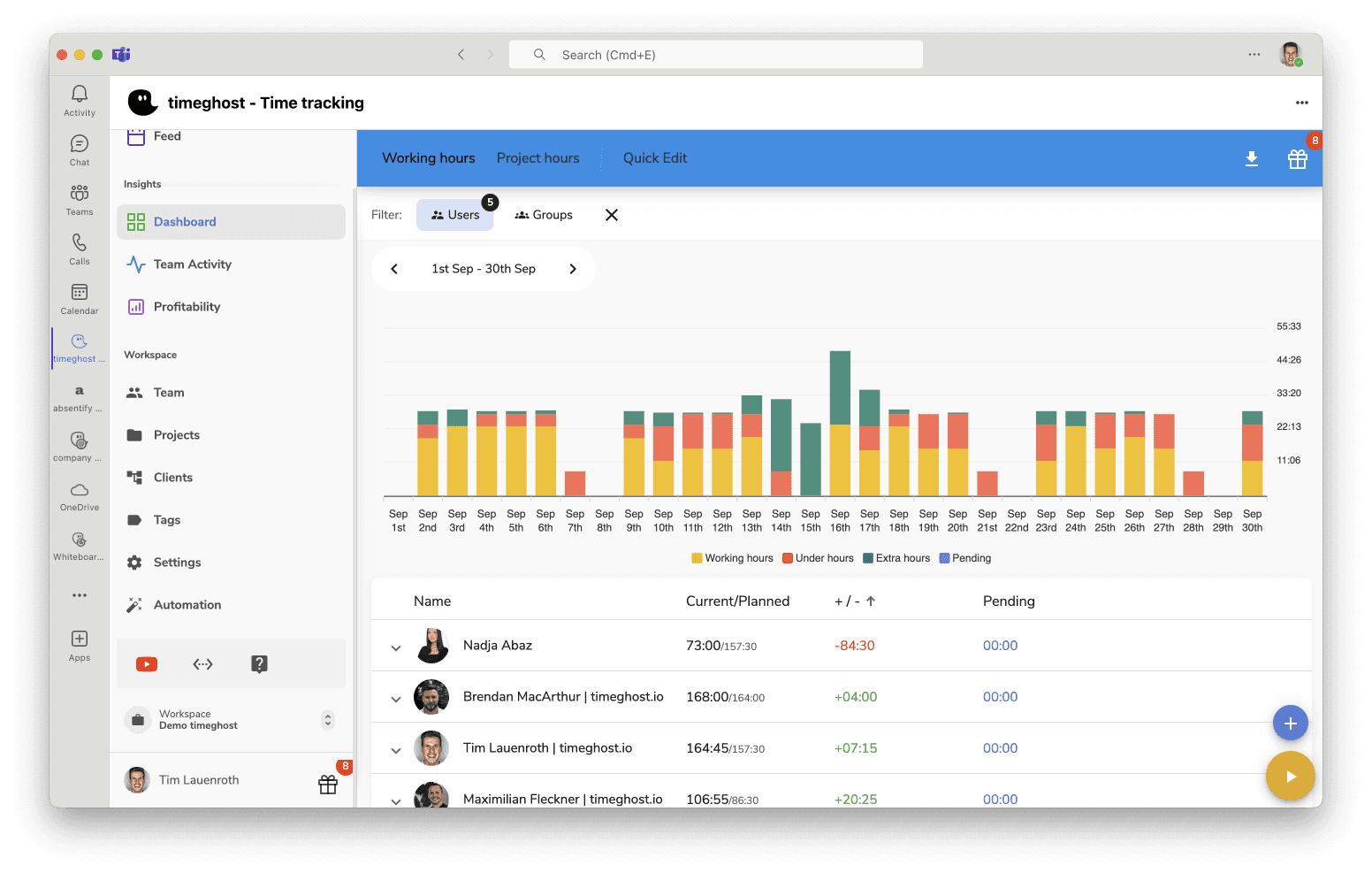
- Track overtime and undertime at a glance
- Export as Excel, CSV, or PDF
Use Both
Work time and project time in one tool – the complete solution for your team. No extra cost.
- All benefits of work time tracking
- All benefits of project time tracking
- One tool instead of two separate solutions
- Login via Microsoft Teams – no separate system
- Unified reports and analytics
- Ready in minutes
Project Time Tracking
For teams that want to track and analyze project time transparently.
- Book time to projects and tasks
- Smart time suggestions from Microsoft 365
- Set budgets and hourly rates
- Analyze project profitability
- Detailed reports at the push of a button
- Transparent client billing
Smart Time Tracking in Detail
Discover the features that make timeghost Time Tracking special.
Check-In, Break, Check-Out
One-click time tracking directly in Microsoft Teams. Your work hours are automatically verified for compliance with legal requirements such as maximum work hours and rest periods.
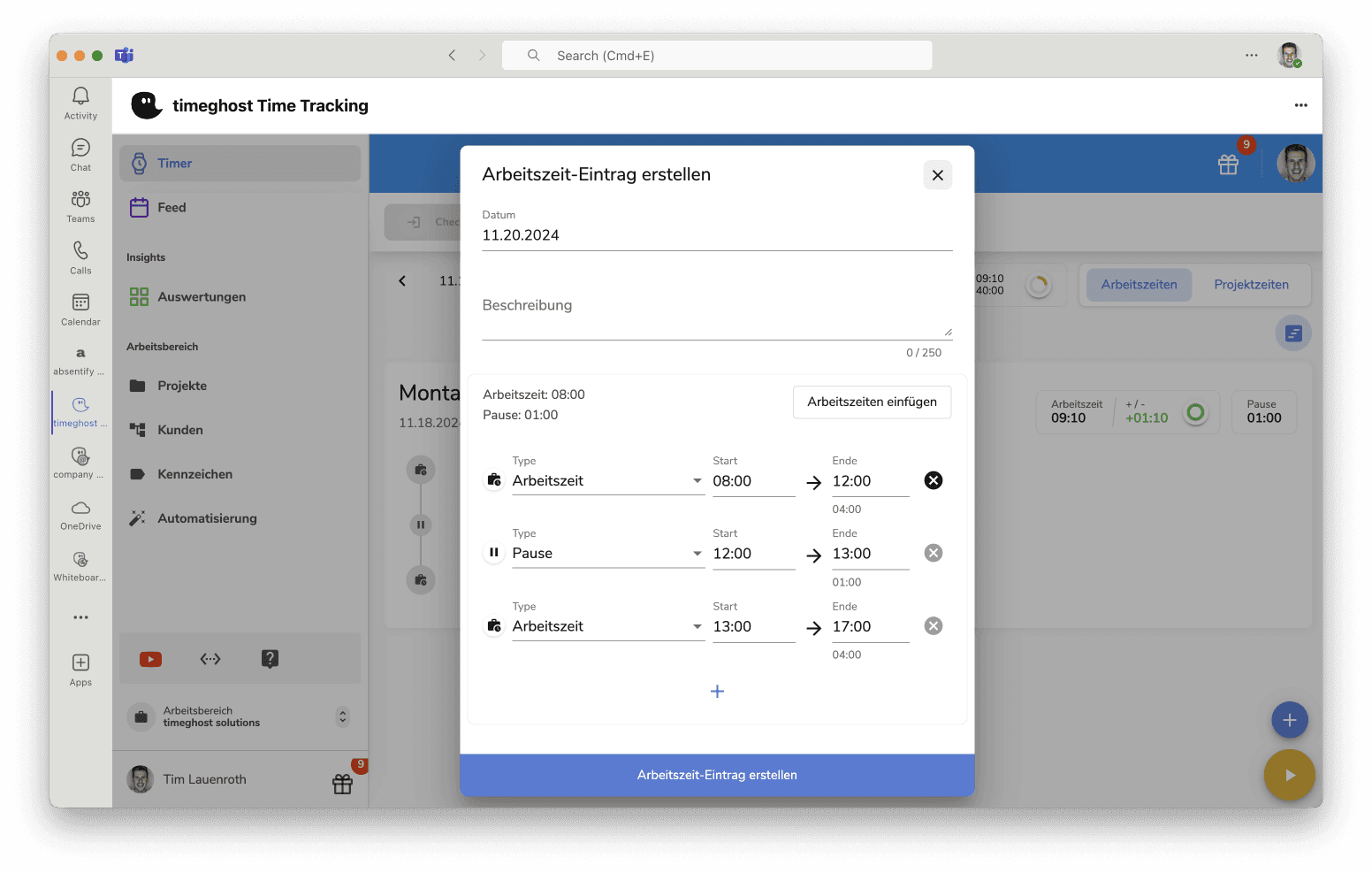
Legal Compliance
As an admin, keep full oversight of your team. Current hours, documented work times, and deviations – all manageable at a glance.
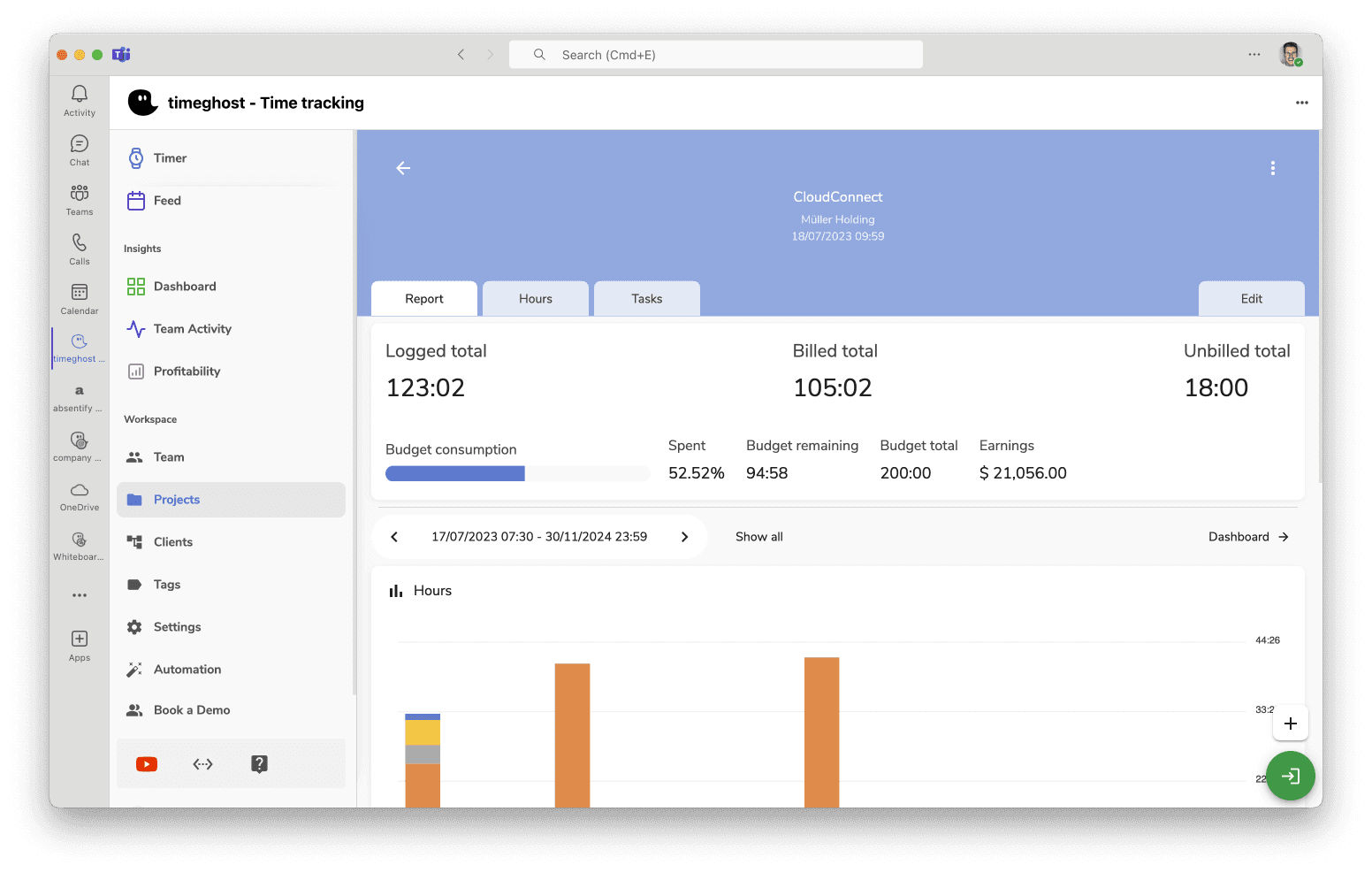
Project Analytics
Set budgets and hourly rates for each project. Analyze costs and profitability in real time for better project management.
Microsoft 365 Integrations
Teams calls, Outlook calendar, Planner, Azure DevOps, SharePoint, OneDrive, Jira – your activities automatically flow into time tracking.
Safe. Verified. Trustworthy.
timeghost is GDPR-compliant, ISO 27001 certified and aligned with EU Court of Justice requirements for time tracking. The solution has been approved by multiple works councils in practice. All data is processed exclusively within the EU.
What Our Users Say in the Teams Store
“Easily track working hours and project times. Awesome app for Microsoft Teams!”
Teams Store User
Verified User · Microsoft Teams Store
“Simple and intuitive to use, I particularly like the feed, the calendar display and the expansion options via Flow.”
Teams Store User
Verified User · Microsoft Teams Store
“The integration of timeghost in Microsoft Teams simplifies my daily work and I no longer must manually enter my events and calls scheduled in Teams.”
Teams Store User
Verified User · Microsoft Teams Store
“Communication with the timeghost team was always fast, direct, and solution-oriented. Adjustments to our specific requirements were implemented incredibly efficiently, so we didn't just introduce a new system – we received a tailor-made solution that perfectly fits our processes.”
Kenan Salihovic
HR Generalist · Thüga AG
Simple and Transparent Pricing
Start with a 14-day free trial. All features included.
Annual Plan
Per user / month, excl. VAT – save over 10% compared to monthly billing
- Work time tracking
- Project time tracking
- Microsoft Teams integration
- Mobile app
- Work and project time reports
- Microsoft 365 activity capture
- Single Sign-On with Microsoft 365
- GDPR-compliant & ISO 27001 certified
- Comprehensive permissions and roles
- Unlimited projects and clients
Monthly Plan
Per user / month, excl. VAT – flexible and cancellable monthly
- Work time tracking
- Project time tracking
- Microsoft Teams integration
- Mobile app
- Work and project time reports
- Microsoft 365 activity capture
- Single Sign-On with Microsoft 365
- GDPR-compliant & ISO 27001 certified
- Comprehensive permissions and roles
- Unlimited projects and clients
Why Teams Choose timeghost Time Tracking
Powerful features that make time tracking simple and efficient.
No login. No setup. Just Teams.
Already in Teams? Then you're in timeghost Time Tracking. Single Sign-On, automatic group sync, time suggestions – everything native to your Teams environment.
Legally Compliant and Secure
GDPR-compliant and ISO 27001 certified. Automatic verification of maximum work hours, rest periods, and break regulations. Approved in practice by multiple works councils.
Smart Time Suggestions from Teams
Teams calls, calendar entries, Planner tasks – timeghost detects your activities and suggests them as time entries. Confirm with one click.
Mobile App
Track work and project time on the go. The timeghost mobile app offers full flexibility – ideal for mobile teams and field workers.
Reports and Export
Comprehensive reports for work and project time. Export to Excel, CSV, or PDF with individually configurable columns.
Teams groups automatically synced
Your Teams groups, departments, and members are automatically synced. 900 users at Thüga AG were ready in minutes – without any manual effort.
Frequently Asked Questions
How does time tracking work in Microsoft Teams?
timeghost Time Tracking is directly integrated into Microsoft Teams. You can track your work hours via check-in, break, and check-out, or book project time to projects and tasks – all without leaving the Teams environment.
Is timeghost Time Tracking legally compliant?
Yes. timeghost is designed to meet the legal requirements per the EU Court of Justice ruling on work time tracking. Maximum work hours, rest periods, and breaks are automatically verified. The solution is GDPR-compliant, ISO 27001 certified and has been approved in practice by multiple works councils.
How do the automatic time suggestions work?
timeghost automatically detects your Microsoft 365 activities – Teams calls, Outlook calendar entries, Planner tasks, Azure DevOps work items, and more. These are presented as time suggestions that you can book as time entries with a single click. No more forgotten work hours, no more manual entry.
Are my Outlook appointments automatically captured?
Yes. timeghost automatically captures your Microsoft 365 activities – including Outlook appointments, Teams calls, Planner tasks, and Azure DevOps work items. You can book these to your projects with just a few clicks.
Can I create and export reports for clients?
Yes. You can create custom reports with configurable filters and columns. Export is available in Excel, CSV, and PDF – ideal for client billing, internal reporting, or legal documentation.
Can I try timeghost for free?
Yes! You can try timeghost Time Tracking free for 14 days with no obligation. No credit card required. After the trial, you can choose between the annual or monthly plan.
What integrations are available?
timeghost integrates seamlessly into the Microsoft 365 ecosystem: Microsoft Teams, Outlook (email and calendar), Planner, Azure DevOps, SharePoint, OneDrive, and Jira. Additionally, absences from absentify can be automatically synchronized.
Is time tracking with Excel or paper timesheets still allowed?
Currently, the format of recording is not yet prescribed by law – but Excel and paper are error-prone, not tamper-proof, and hard to evaluate. The planned reform of the German Working Time Act provides for electronic recording. With a digital solution like timeghost, companies are on the safe side today.
Is there a legal obligation to record working time?
Yes. Following the ECJ ruling of 2019 and the German Federal Labour Court decision of 2022, employers must systematically record their employees' working time – regardless of company size and place of work, including home office. timeghost meets these requirements and automatically verifies maximum working hours, rest periods, and breaks.
Install now from the Microsoft Teams Store
Open directly in the Teams Store – ready to use instantly.
Microsoft Teams Store